How NFC Works & Send Your Link
Set up your link in about 60 seconds. Then add it when you buy your NFC product (or submit it after purchase).
Important: We cannot change your programmed URL after purchase.
You may use either (a) a single public URL (your website/contact page), or (b) a profile URL like Linktree or Unit.link (recommended if you want flexibility later). Profile links let you manage the destinations on your end.
Don’t have a website? No problem — set up a free profile at Linktree or Unit.link and use your personal profile URL.
You may use either (a) a single public URL (your website/contact page), or (b) a profile URL like Linktree or Unit.link (recommended if you want flexibility later). Profile links let you manage the destinations on your end.
Don’t have a website? No problem — set up a free profile at Linktree or Unit.link and use your personal profile URL.
-
1) Create your link (or choose a single URL).
Use a Linktree or Unit.link profile (recommended), or any public URL like your website, contact page, Google Map listing, menu, booking page, payment page, etc.Tip: If you want to update destinations later, use a profile link. Your NFC will point to that profile link. -
2) Pick any NFC product & submit your info on the product page.
Upload your artwork and paste your Destination URL exactly as you want it programmed.Please double-check spelling, https://, and the exact page you want visitors to land on. -
3) We program, test, and ship.
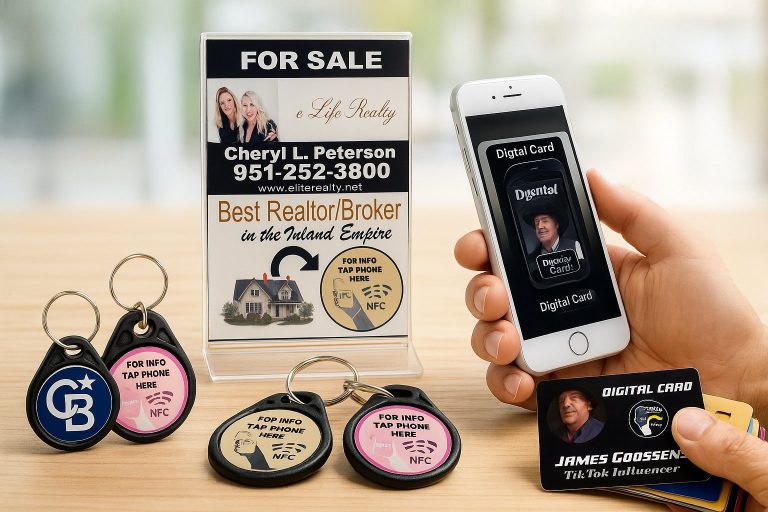
We test each NFC item before it leaves. Tap your phone to it and it opens your link instantly—then share it anywhere.
What To Include On The Product Page
-
Your destination URL (Linktree/Unit.link profile or a single public link)
Don’t have a website? No problem — set up a free profile at Linktree or Unit.link and use that profile URL. -
Your artwork/logo — accepted formats: PNG, JPG, PDF, SVG, ZIP
If you have more than one image, combine them into a single .zip and upload that file.
⚠️ Maximum file size: 10 MB per upload.
If your file is larger than 10 MB, please email it to goosedesignssite@gmail.com with your Order # in the subject line. - Your contact info (email/phone) for proof approval (if needed)
Artwork Tips (Clean & Clear Uploads)
- Keep it crisp: use high-resolution files (vector SVG/PDF preferred for logos; or large PNG/JPG—aim for at least ~2000px on the long edge).
- Match the product:
- Business cards: clear logo/brand graphic; portrait or landscape; keep important text away from edges.
- Tumblers/wraps: wide landscape artwork; avoid tiny text; keep margins for wrap/bleed.
- Stickers/decals: transparent PNG if you want a die-cut look; add a white outline if desired.
- Colors: sRGB works best for web-to-print consistency.
- Transparency: for logos on dark items, upload a PNG with a transparent background.
- Multiple images? Zip them into a single .zip and upload that one file.
- File size: Maximum 10 MB per upload. Larger files—email to goosedesignssite@gmail.com with your Order #.
Already Ordered But Didn’t Add Your URL?
If you missed the URL field during purchase, submit it right away using our form page. Heads up: once programmed, the URL cannot be changed. If needed, you can also email goosedesignssite@gmail.com.
Submit your NFC link here:
Open the Submit NFC Link Form
Open the Submit NFC Link Form
If your artwork file is larger than 10 MB, email it to
goosedesignssite@gmail.com
with your Order # in the subject line.
Double-check your URL before submitting.
We program exactly what you send.